Zinimal
print it·fold it·share it
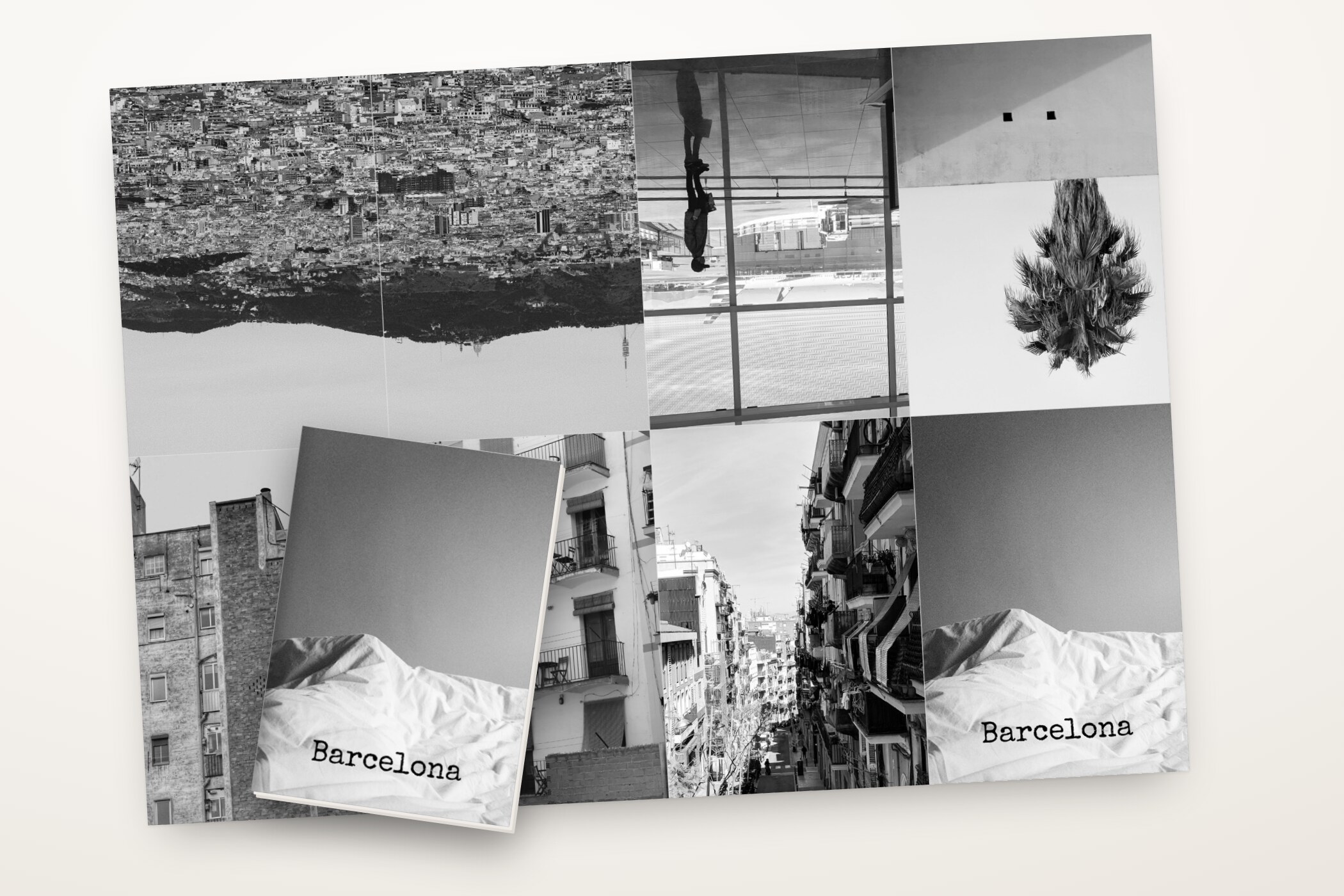
Zinimal turns your photos into little printed zines. Pick photos, add a line of text, print one sheet of paper, fold it, cut once — and you are holding an eight-page mini zine.
How it becomes a booklet
-
 1
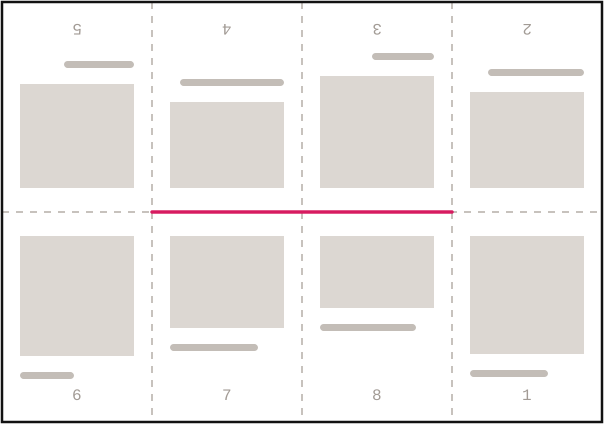
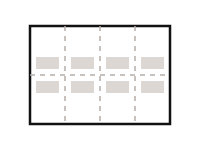
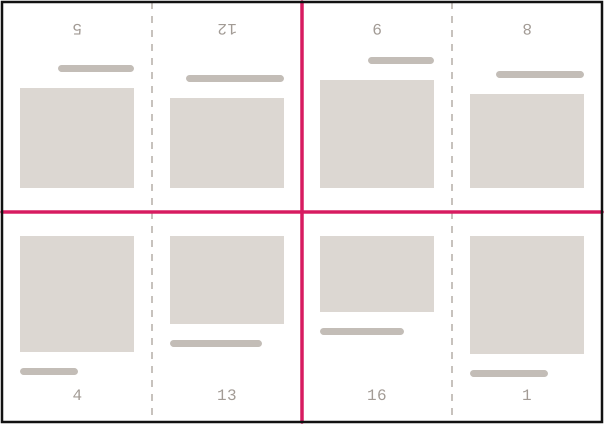
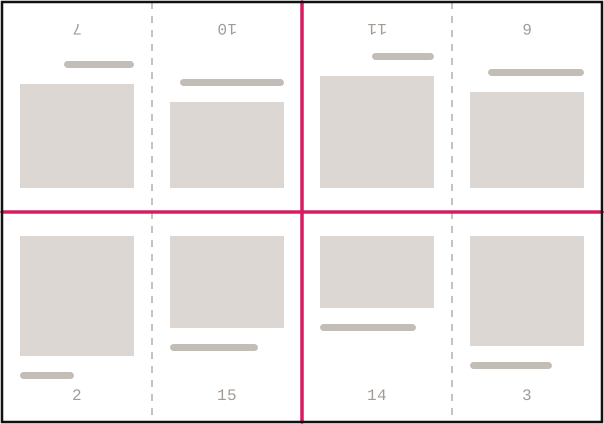
Print: eight panels, the top row upside down.
1
Print: eight panels, the top row upside down.
-
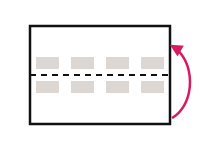 2
Fold lengthwise, open again.
2
Fold lengthwise, open again.
-
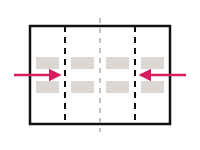 3
Fold the ends to the middle, crease everything, open.
3
Fold the ends to the middle, crease everything, open.
-
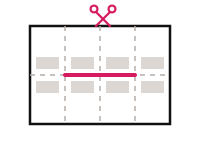 4
Cut along the center line — only the inner two panels.
4
Cut along the center line — only the inner two panels.
-
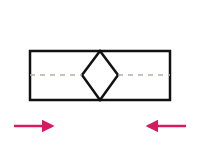 5
Fold lengthwise and push the ends together: the cut opens up.
5
Fold lengthwise and push the ends together: the cut opens up.
-
 6
Collapse it — the little book is done.
6
Collapse it — the little book is done.
The illustrated folding guide lives in the app too, under Help.
What making one looks like
Three screenshots from the app: the whole zine, a single page, the finished printed sheet.
 The whole zine at a glance
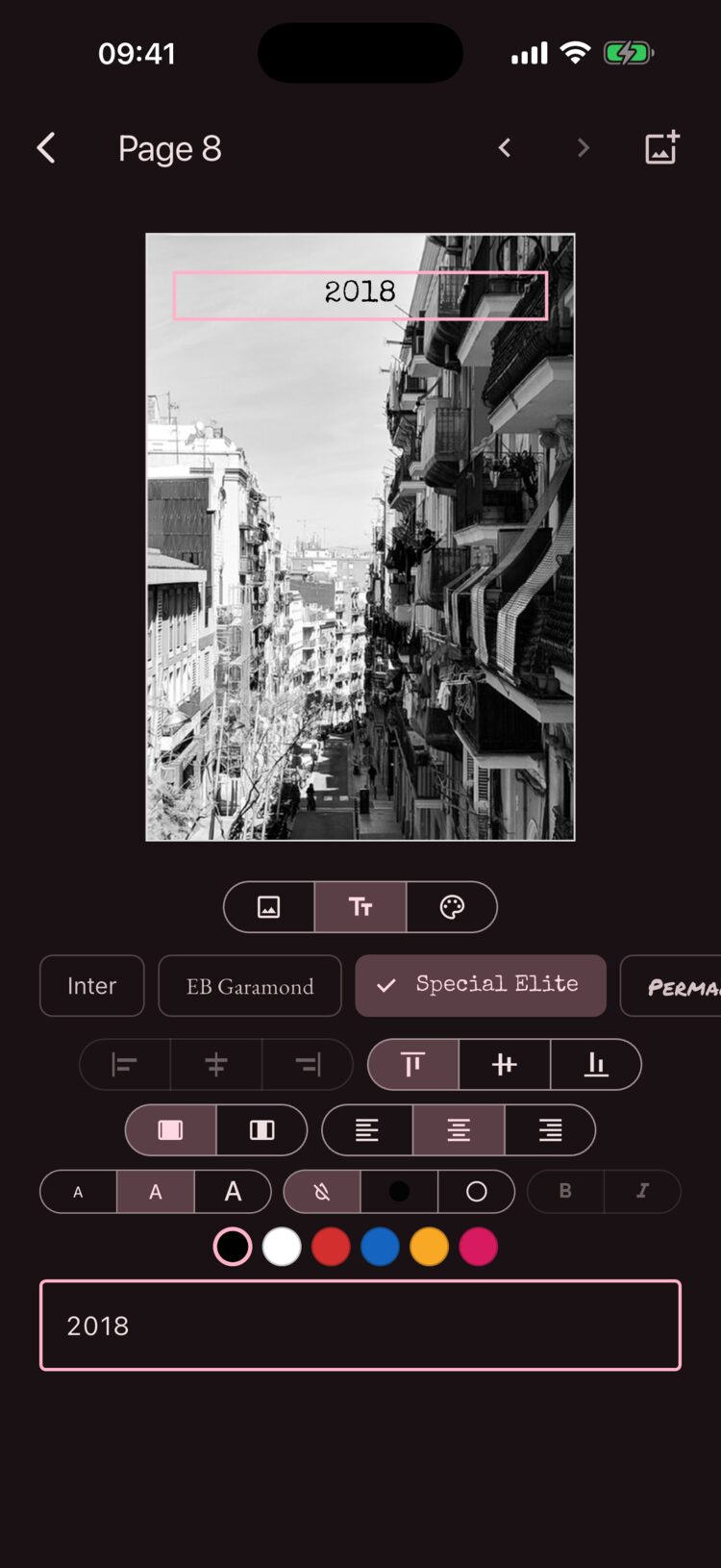 One line of text, four typefaces
 The printed sheet, before it becomes paper
What the app does
Make
- Photos from your library — the app only ever sees what you pick
- One line of text per page: four typefaces, three sizes, six colors
- Facing pages side by side, photos and text spanning the fold
- Paper color for every page
Print & share
- Print-ready PDF with cut and fold guides, at full photo resolution
- Single-sided zines also export as a 300 dpi image
- A4 or US Letter — the pages divide the sheet you actually have
- Straight into the share sheet: print, save, send
- Or hand on the whole zine as one file — photos and all, still editable
Quiet by design
- No account, no ads, no tracking
- The app does not even use the internet
- Every edit saves itself; there is no save button
Three formats
The mini zine
The classic: eight pages from a single sheet. Three folds, one slit down the middle — done.
The mini zine XL
Twice the pages, the same little book: print both sides, fold three times, cut open the top and right edges, add a staple in the spine.
The booklet
For more room: each sheet carries four pages, two on the front, two on the back. Nest them, fold once, add a staple in the fold.
Giving zines away
A zine is made to be handed on. So alongside the PDF for printing, the app can give you the zine itself as a single file: a zine file (.zinimal), holding all of it — the pages, the words, the photos at full resolution. Not a copy to look at, but the original, still editable.
It travels like any other file: AirDrop, mail, a message. Whoever receives it taps it — Zinimal opens it — or brings it in from the file button at the top of the shelf. Either way the import makes a new zine and never replaces one you already have. Import it twice and you have it twice.
The same file moves your zines to a new phone, or sits on a disk as a backup. No account, no cloud, no server: the file takes exactly the road you send it down, and no other.